


Vyze Emblem
Vyze Emblem
🚚 Fast delivery
🔒 Secure checkout
✔️ Quality guaranteed
⚡ Quick processing
BUNDLE & SAVE
Couldn't load pickup availability
Vyze Emblem
Get it between - and -.
Turn Your Car Into a Dynamic Digital Display
Make your car stand out with VYZE, a smart automotive display designed to bring customizable animations and digital visuals directly to your vehicle. Whether you're upgrading your build, heading to a car meet, or simply want something that makes your ride different from everything else on the road, VYZE gives you control over the look.
Use the dedicated app to manage compatible animations and change your display whenever you want—giving your setup a fresh look without complicated modifications.
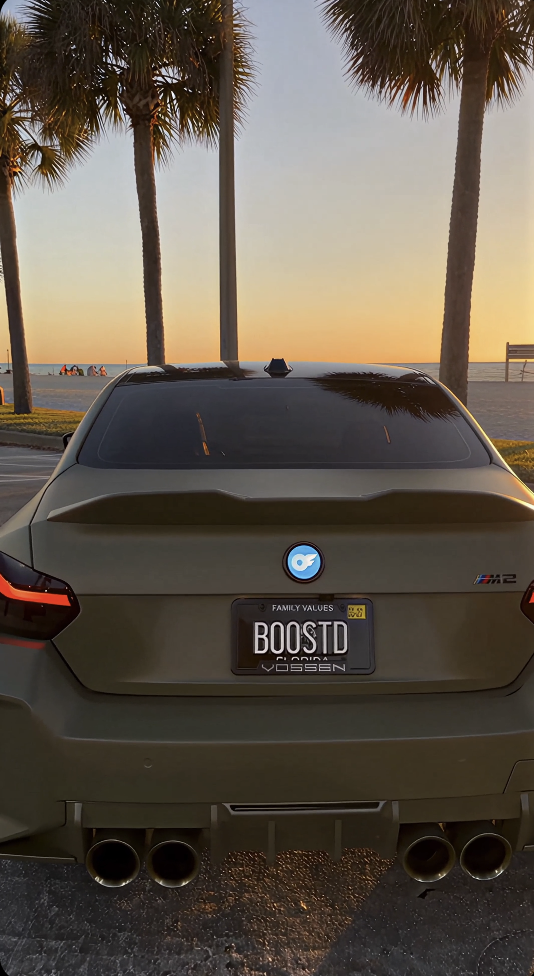
Why You'll Love It
📱 App-Controlled Display
Manage and switch your visual content conveniently through the dedicated app.
🎞️ Custom Animations
Upload compatible animations and personalize the display around your own style.
🚘 Built for Car Enthusiasts
An eye-catching addition to custom builds, show cars, car meets, and enthusiast setups.
⚡ Flexible Power Options
Designed to work with vehicle-compatible power options for convenient everyday setup.
🔧 Simple Installation
Get your display set up without complicated permanent vehicle modifications.
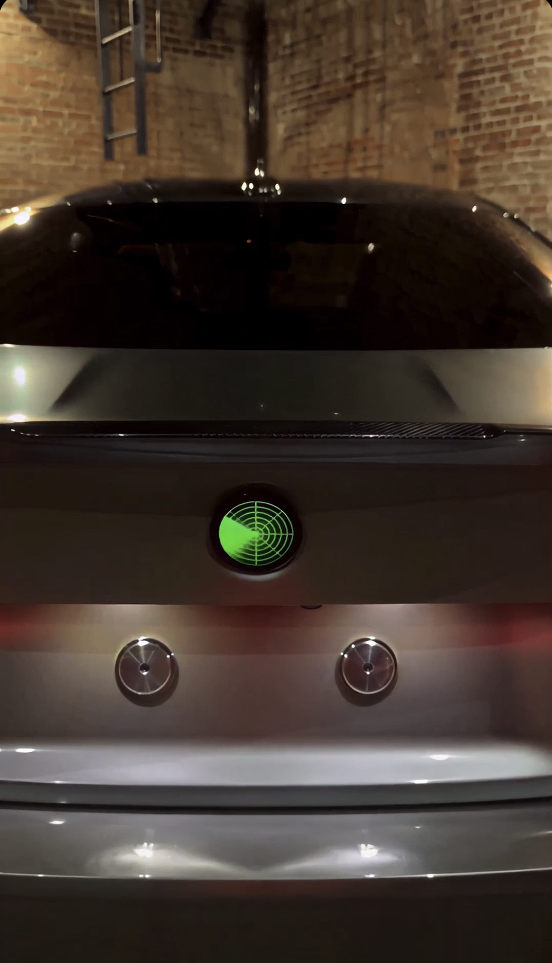
Your Car. Your Style.
Most automotive accessories look exactly the same from one car to another. VYZE gives you something much more personal.
Choose the visuals that match your build, mood, or event and transform your vehicle into a moving digital statement. Change your content whenever you want instead of being stuck with one permanent design.
Customizable From Your Phone
VYZE puts control in your hands. Through its dedicated app, you can manage compatible visual content, switch between animations, and customize how your display looks.
No need to replace the entire accessory every time you want something new—simply update your content and create a different look.
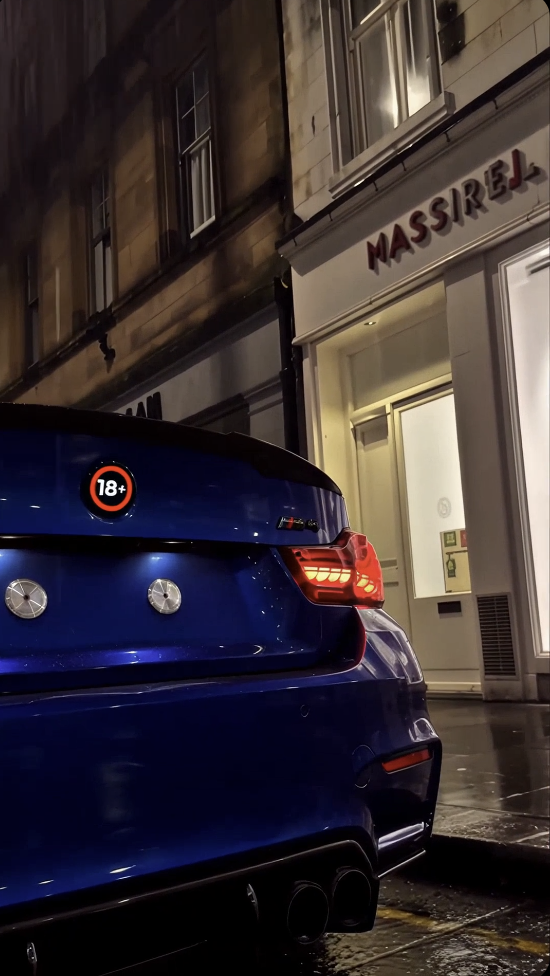
Perfect For
- Car enthusiasts
- Custom car builds
- Car meets
- Show cars
- Automotive content creators
- Nighttime displays
- Personalized vehicle setups
- Unique automotive gifts
Key Features
- Smart digital automotive display
- Dynamic animation support
- Dedicated app control
- Custom compatible content support
- Multiple animation options
- Quick content switching
- Designed for vehicle installations
- Clean modern appearance
- Convenient power setup
- Ideal for customized car builds
How to Use
1. Install VYZE
Position the display according to the supplied installation instructions.
2. Connect the Power
Connect VYZE to the appropriate compatible vehicle power source.
3. Connect Your Phone
Open the dedicated app and complete the required connection process.
4. Choose Your Animation
Select or upload compatible visual content.
5. Make It Yours
Switch between your favorite designs whenever you want a different look.
Frequently Asked Questions
Can I customize what VYZE displays?
Yes. VYZE is designed around customizable digital content, allowing you to manage compatible visuals through its app.
Can I change the animations later?
Yes. You aren't limited to one permanent design. Compatible animations can be changed whenever you want.
Do I control it from my phone?
Yes. The dedicated app provides convenient control over the display and its compatible content.
Is VYZE suitable for car meets?
Absolutely. Its customizable visual design makes it particularly suited to car meets, show builds, automotive content, and enthusiast setups.
Does installation require major vehicle modification?
VYZE is designed to provide a straightforward installation experience without requiring complicated permanent modifications.
Safety Notice
Install VYZE where it does not obstruct the driver's visibility, mirrors, lights, license plate, or other safety equipment. Always follow local laws governing illuminated or digital vehicle displays, and avoid visuals that could distract road users or resemble emergency and traffic-control signals.

Free Shipping
Free Shipping
Free Shipping
Free Shipping
Free Shipping
Free Shipping
Free Shipping
Free Shipping
Free Shipping
Free Shipping
Free Shipping
Free Shipping
Free Shipping
Free Shipping
Free Shipping
Free Shipping
Free Shipping
Free Shipping
Free Shipping
Free Shipping
Free Shipping
Free Shipping
Free Shipping
Free Shipping
Free Shipping
Free Shipping
Free Shipping
Free Shipping
Free Shipping
Free Shipping
Free Shipping
Free Shipping